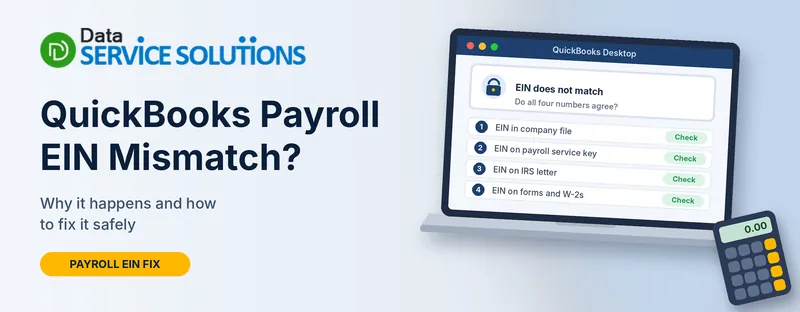
You try to activate payroll, update the tax table, or send a form, and QuickBooks tells you your EIN doesn’t match. Sometimes the message is blunt: “Invalid number or EIN.” Sometimes it’s a payroll update error with no explanation at all. Either way, payroll stops until the numbers agree.
The good news is that this is usually a mismatch between two records, not a damaged file. This guide shows you where to look, which number is the one to trust, and how to fix each case without making things worse.
What an EIN Mismatch Means in QuickBooks Payroll
Your EIN (Employer Identification Number) is your business’s federal tax ID. QuickBooks Payroll keeps it in several places, and they all need to agree:
- The company file. The EIN you entered in your company information.
- Your payroll subscription. The EIN QuickBooks has on record for your service key.
- The IRS. The EIN and legal business name on your IRS confirmation letter and past filings.
- Your forms. The EIN printed on Form 941, Form 940 and W-2s.
A mismatch means two of these disagree. The cause might be a typo, an old subscription, a second company file, or a business whose EIN changed. The fix depends on which one is wrong.
Which EIN Problem Do You Have?
| What you see | Most likely cause | Go to |
|---|---|---|
| Service Keys screen says Invalid number or EIN | The company file EIN doesn’t match the EIN on your service key | Fix 1 |
| A payroll update or activation error (PS036, PS032, 20102 or 30159) | An EIN, service key or subscription problem | Fix 2 |
| Error when you add a second company or file to payroll | EIN rules for your subscription, or two files sharing one EIN | Fix 3 |
| You use QuickBooks Online Payroll | The EIN in your payroll settings is wrong | Fix 4 |
| The wrong EIN shows on a 941 or W-2 | A typo in company information | Fix 5 |
Before You Change Anything
An EIN is a legal identifier. Don’t just retype numbers until the error goes away. Spend five minutes on these first.
- Find your real EIN. Look at your IRS confirmation letter (often a CP 575 notice), a filed tax return, or a bank account application. If you’ve lost it, you can request an EIN verification letter, called a 147C letter, from the IRS.
- Make sure the business name matches too. The EIN and your legal business name need to agree with IRS records.
- Check whether the EIN changed. Switching from sole proprietor to LLC or corporation can mean a new EIN. If your business got a new one, the old subscription may need updating through QuickBooks support.
- Back up your company file. Go to File > Back Up Company > Create Local Backup.
- Note what’s currently entered. Write down the EIN shown in QuickBooks before you change it.
Fix 1: “Invalid Number or EIN” on the Service Keys Screen
This happens in QuickBooks Desktop when the EIN in the company file doesn’t match the EIN registered with your service key. Your subscription may show as paid and active and you still see this.
- Go to Employees > My Payroll Service > Manage Service Key and check that the key matches the one in your purchase email.
- Go to Company > My Company.
- Click the Edit (pencil) icon beside Company Information.
- Select Company Information on the left and find Federal Employer Identification No. under Company Identification.
- Compare it with your IRS letter. Fix any typo and click OK.
- Update QuickBooks. Our guide on how to update QuickBooks Desktop walks through it.
- Download the newest tax table. See QuickBooks payroll tax table update.
- Go back to Manage Service Key, remove the key, add it again, and check the status.
If the EIN in the company file is already right, the number on your subscription is the one that’s off. You can’t always fix that yourself. Contact QuickBooks payroll support and ask them to check the EIN on your subscription. Have your IRS letter ready.
If the key itself isn’t active, see QuickBooks payroll subscription inactive and our guide to payroll subscription renewal.
Fix 2: Payroll Update Errors That Point to an EIN Problem
Several payroll errors are reported alongside an EIN problem. These explanations come mainly from third-party support guides, not from QuickBooks’ own pages, so treat them as likely causes, not certainties.
| Error | What’s often behind it |
|---|---|
| PS036 | An inactive subscription, a wrong service key, or more than one payroll agreement tied to one EIN |
| PS032 | A damaged payroll file or a billing or subscription problem |
| 20102 | A missing, wrong or mismatched EIN, or an incomplete payroll setup |
| 30159 | A wrong or unlinked EIN, an inactive subscription, or damaged Paysub.ini files |
Work through these in order:
- Check the EIN as in Fix 1.
- Check your subscription. Go to Employees > My Payroll Service > Account/Billing Information, sign in, and confirm it’s active.
- Revalidate the service key. Go to Employees > My Payroll Service > Manage Service Key, select your service, click Edit, re-enter the key and save.
- Update the program and tax table. Go to Help > Update QuickBooks Desktop > Update Now > Get Updates, then Employees > Get Payroll Updates > Download Entire Update.
- Rename the Paysub.ini file. Close QuickBooks, turn on hidden files in File Explorer, search for paysub.ini under C:\ProgramData\Intuit, and rename it by adding .old to the end. Rename it, don’t delete it.
- Check your file. Run QuickBooks File Doctor from the Tool Hub (see our QuickBooks Tool Hub guide). Then go to File > Utilities > Verify Data, and use Rebuild Data only if it finds problems.
Fix 3: Two Company Files or EINs on One Subscription
If you run more than one business, the number of EINs a subscription can hold matters.
| Product | EIN limit |
|---|---|
| QuickBooks Desktop Payroll Basic, Standard or Enhanced | Up to three EINs per service |
| Desktop Payroll Enhanced for Accountant | Up to 50 EINs |
| Desktop Payroll Assisted (standalone) | One EIN |
| QuickBooks Online Payroll (Workforce) | One EIN per subscription |
Each EIN should have only one company file. If two files share an EIN, you can get errors, and PS036 is often reported with this.
To add another company to a Desktop subscription:
- Open the file you want to add and go to Employees > Payroll.
- Select Use My Existing Payroll Service, then Add File under Account Maintenance.
- Choose the option to add it to your subscription number.
- Enter your subscription number and ZIP code, then follow the prompts.
If “Use My Existing Payroll Service” is missing, open a file that already has the subscription, install the latest tax table, close it, then open the file you’re adding and try again.
To remove an EIN you no longer need:
- Go to Employees > My Payroll Service > Account/Billing Information and sign in with the email tied to your payroll account.
- Select Payroll Details, then Manage EIN.
- Choose the EIN for the file you no longer use and select Remove.
Removing an EIN stops that file’s payroll access, so only do it for files you’ve retired. If you’re unsure, ask payroll support first.
Fix 4: EIN Mismatch in QuickBooks Online Payroll
Online Payroll keeps the EIN in your payroll settings.
- Go to Settings > Payroll settings > Federal tax.
- Click Edit.
- Enter the correct EIN and click Save, then Done.
If the EIN is already right and you still get the error, check that the payroll subscription is active and that you’re signed in as the primary admin. If you can’t change it, QuickBooks payroll support can do it with proof of the EIN.
Fix 5: Wrong EIN on a Form 941 or W-2
A mistyped EIN usually comes from the company information screen, so fix it there first.
In QuickBooks Desktop:
- Go to Company > My Company.
- Click Edit, then select Company Information.
- Enter the correct EIN in Federal Employer Identification No. and click OK.
- Contact QuickBooks support afterward so they can update the EIN on their records.
What about forms already filed or sent? Fixing the setting changes future forms, not the ones already out. If a Form 941 went to the IRS with the wrong EIN, you may need a corrected form, such as a Form 941-X. If employees already got W-2s with the wrong EIN, you may need corrected W-2s (Form W-2c). The rules depend on what was filed and when, so talk to your accountant or the IRS before you refile. For reprinting forms once the EIN is right, see how to reprint a W-2 in QuickBooks and QuickBooks Form 941.
If payroll taxes or liabilities now look wrong, see QuickBooks payroll liabilities wrong.
EIN and Business Name: The IRS Match
Even when QuickBooks and your subscription agree, the IRS may not. Tax authorities match the EIN with the legal business name on file. Common problems are:
- Using a trade name (DBA) where the legal name belongs
- Skipping “LLC” or “Inc.” when IRS records include it
- A name change that the IRS was never told about
Check the name on your IRS letter and make sure the company name in QuickBooks follows it.
When to Get Help
Get help if:
- The EIN is right everywhere but the error keeps coming back
- QuickBooks says the EIN belongs to another account
- Your business got a new EIN and the old one is still on the subscription
- Forms with the wrong EIN have already gone to the IRS or employees
Our team can walk you through the next step. Visit our QuickBooks payroll support page, see QuickBooks payroll not working, or contact Data Service Solutions.
How to Avoid EIN Problems
- Copy the EIN from your IRS letter instead of typing it from memory
- Keep one company file per EIN
- Record which EIN belongs to which file and subscription
- Check the EIN before the first payroll of the year
- Update the legal name in QuickBooks when it changes with the IRS
- Keep your payroll subscription current
- Tell support when your EIN changes
Frequently Asked Questions
What does “Invalid number or EIN” mean in QuickBooks?
The EIN in your company file doesn’t match the EIN QuickBooks has for your service key, or the key itself is wrong.
Where do I check my EIN in QuickBooks Desktop?
Go to Company > My Company, click Edit, select Company Information, and find Federal Employer Identification No.
Can I change the EIN on my payroll subscription myself?
Not always. You can fix the EIN in your company file, but the EIN on your subscription often needs QuickBooks support.
Why does my EIN not match even though it’s correct?
The subscription may carry an older or mistyped EIN, two files may share it, or the key may belong to a different business.
Can two company files use the same EIN?
They shouldn’t. Each EIN should have one company file, or you can get errors.
How many EINs can one Desktop payroll subscription cover?
Basic, Standard and Enhanced cover up to three. Enhanced for Accountant covers up to 50. Assisted standalone covers one.
How do I fix a wrong EIN on a W-2?
Correct it in company information, then ask your accountant whether you need to file a W-2c.
Do I need a Form 941-X if my EIN was wrong?
It depends on what was filed. Check with your accountant or the IRS.
How do I find my EIN if I lost it?
Look at your IRS confirmation letter, a past tax return, or bank records. You can also ask the IRS for an EIN verification letter.
Does a name mismatch cause an EIN error?
It can. The IRS matches the EIN with your legal name, so use the exact name on your IRS letter.
Does this affect QuickBooks Online Payroll?
Yes. Check Settings > Payroll settings > Federal tax and correct the EIN there.
When should I call a professional?
When the EIN is right but the error stays, or when incorrect forms have already been filed.
Wrapping Up
An EIN mismatch is almost always a record that disagrees with another record. Find the correct number first, then work out which place holds the wrong one. Fix the company file, the subscription or the forms in the order above, and get QuickBooks support or an accountant involved if filings are affected. The Data Service Solutions team is here if you get stuck.