You clicked something, and QuickBooks answered with “error 88888.” No explanation, no clear next step. Before you try anything, one honest note: 88888 is not a code with a single official meaning. People report it in a few different situations, and the right fix depends on which one you are in. This guide helps you match your screen to the right fix instead of trying everything at random.
What Is Error 88888 in QuickBooks?
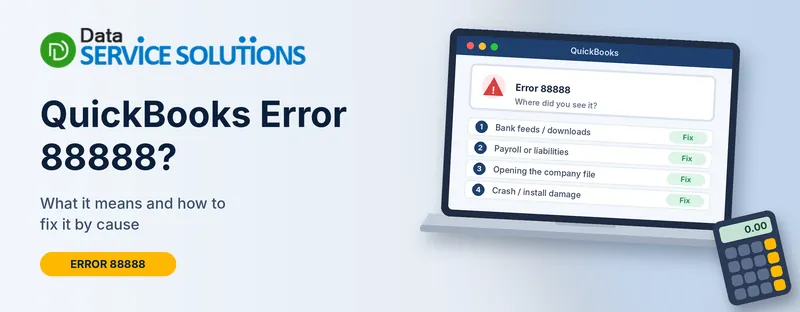
Error 88888 is a generic failure code. Depending on where it appears, it usually points to one of four things:
- A bank feed or transaction download that stalls or reports that accounts are already synced
- A payroll or payroll liability data problem
- A damaged or inconsistent company file
- A damaged QuickBooks installation or program component that causes a crash
Because the same number shows up in all four, a fix that works for one person can do nothing for the next. That is why the triage table below comes first.
Find Your Situation First
| Where you see error 88888 | Most likely cause | Go to |
|---|---|---|
| While downloading bank transactions or updating the bank feed | Bank connection or sync problem | Fix 1 |
| While running payroll, paying liabilities or updating the tax table | Payroll data or tax table issue | Fix 2 |
| When opening or switching company files | Damaged company file or blocked file access | Fix 3 |
| When QuickBooks crashes, freezes or closes with the error | Damaged program components | Fix 4 |
Not sure? Start with the backup step below, then work down the list in order.
Before You Try Any Fix: Back Up Your Company File
Every step in this guide is safer with a current backup. Do this first.
- Open QuickBooks and go to File > Back Up Company > Create Local Backup.
- Choose Local backup, click Next, and pick a folder outside the QuickBooks folder, such as your desktop or a USB drive.
- Save the backup and note the file name.
If QuickBooks will not open at all, copy the company file (the one ending in .qbw) to another folder using File Explorer. A plain copy is better than nothing.
Fix 1: Error 88888 During Bank Feeds or Downloads
Many people see this one with a message along the lines of “all accounts associated with this customer ID have been synced.” That wording tells you the bank connection thinks everything is already up to date, even when transactions are missing.
- Update QuickBooks. Old releases break bank connections more often than anything else. Follow our guide on QuickBooks updates and restart afterward.
- Check the basics. Confirm your computer date, time and time zone are correct, and that you can sign in to your bank’s own website. If the bank site asks you to verify your identity or accept new terms, do that first.
- Run the download again. In QuickBooks Desktop, go to Banking > Bank Feeds > Bank Feeds Center and choose Send/Receive Transactions. In QuickBooks Online, open Banking, select the account and click Update.
- Re-enter your bank login. Select Edit Account Info in the Bank Feeds Center (Desktop), or reconnect the account from the Banking page (Online).
- Check for a bank-side block. If you also see a numbered banking error, our walkthrough for QuickBooks banking error 324 covers the usual bank-side fixes.
- Last resort in Desktop: reset the bank link. Open Lists > Chart of Accounts, right-click the bank account, choose Edit Account, then Bank Feed Settings and Deactivate All Online Services. Reconnect afterward. Do this only after a backup, and finish matching any pending transactions first, because deactivating can clear unmatched items.
A warning on account merging. Some guides tell you to merge accounts to clear the error. Merging cannot be undone and can wreck your reports. Skip it unless your accountant tells you to do it.
Fix 2: Error 88888 in Payroll or Liabilities
When the code appears while creating paychecks or paying taxes, work through these in order.
- Download the latest payroll update. Go to Employees > Get Payroll Updates and choose Download Entire Update. Our guide to the QuickBooks payroll tax table update covers what to do when the update fails.
- Check your liability balances. Run the Payroll Liability Balances report and look for amounts that don’t match what you owe. If they are off, read QuickBooks payroll liabilities wrong before adjusting anything.
- Confirm your subscription is active. An inactive payroll subscription blocks several payroll actions. Check this in your account settings and re-verify your service key if needed.
- Run the data checks in Fix 3. Payroll data lives in the company file, so a damaged file can throw this error too.
Fix 3: Error 88888 When Opening or Switching Company Files
This one points to the file itself, or something stopping QuickBooks from reaching it.
- Open the file from a local folder. Copy the company file to your desktop and try opening it there. If it opens, the problem is in the original location or in network access. Our guide on QuickBooks won’t open covers startup problems in more depth.
- Run QuickBooks File Doctor. Download and open the Tool Hub, go to Company File Issues, and choose Run QuickBooks File Doctor. Our page on QuickBooks File Doctor walks through it.
- Check your firewall. A blocked connection can cause failures that look like file damage. See how to create exclusions for QuickBooks files. Add exclusions rather than turning your security software off.
- Verify, then rebuild. Go to File > Utilities > Verify Data. If it finds problems, go to File > Utilities > Rebuild Data and follow the prompts. QuickBooks will ask you to back up first, so say yes.
- Delete the .ND and .TLG files. In the folder holding your company file, find the files with the same name plus .nd and .tlg. Rename them by adding OLD at the end. QuickBooks recreates them the next time the file opens. Never rename the .qbw file itself.
- Restore a backup. If nothing else works, go to File > Open or Restore Company > Restore a backup copy and use your most recent good backup.
Fix 4: Error 88888 With Crashes or Freezes
When QuickBooks closes on you or freezes with this error, the program files are the likely culprit.
- Run as administrator. Right-click the QuickBooks icon and choose Run as administrator.
- Quick Fix my Program. Open the Tool Hub, go to Program Problems, and click Quick Fix my Program. Open QuickBooks again when it finishes.
- Install Diagnostic Tool. In the Tool Hub, go to Installation Issues and run the QuickBooks Install Diagnostic Tool. It can take up to 20 minutes. Restart your computer afterward.
- Update Windows. Missing system updates can break components QuickBooks relies on.
- Repair the installation. Press Windows + R, type appwiz.cpl, and press Enter. Select QuickBooks, click Uninstall/Change, then Repair.
- Do a clean install if the repair doesn’t help. Uninstall QuickBooks, rename the leftover QuickBooks folders, then reinstall. Keep your license number and installer handy first.
When to Stop and Get Help
Stop and call a professional if any of these are true:
- You have tried the fix for your situation and the error keeps returning
- Verify Data keeps finding problems after a rebuild
- Payroll balances are wrong and a filing deadline is close
- You aren’t sure your backup is good
Handing it off early is usually cheaper than a damaged file. Our team at Data Service Solutions can look at the file with you.
How to Prevent Error 88888
- Back up daily, and test a restore once in a while
- Keep QuickBooks and payroll updated
- Don’t open the company file from several places at once
- Verify your data every month
- Never force-close QuickBooks while it is writing data
- Leave a few gigabytes of free disk space
Frequently Asked Questions
What does error 88888 mean in QuickBooks?
It is a generic code without one official meaning. It is reported with bank feed downloads, payroll data, company file access and program crashes, so start by noting where you see it.
Is error 88888 a bank feed error?
Often, yes. Many people see it while downloading transactions. But it also appears in other places, so use the table above to confirm.
Will I lose data if I run Rebuild Data?
Rebuild Data repairs the file in place and creates a backup first. A fresh backup of your own before you start is still the safest approach.
Is error 88888 caused by my internet connection?
It can be, especially with bank feeds. Test your bank’s own website, then try the download again.
Should I turn off my antivirus to fix it?
No. Add QuickBooks exclusions instead. If you disable security software for a test, turn it back on straight away.
Does error 88888 affect QuickBooks Online?
It is reported more often in Desktop, but bank feed sync problems can occur in Online too. Reconnect the account and try a different browser.
How do I know if my company file is damaged?
Run Verify Data. If it reports problems, use Rebuild Data, or restore a clean backup.
Can a payroll problem cause error 88888?
Yes. An outdated tax table, wrong liability balances or an inactive subscription can all trigger payroll errors. Start with the payroll update and liability checks in Fix 2.
When should I call a professional?
If the error comes back after the fix for your situation, or if payroll deadlines are close, get help before making bigger changes.
Wrapping Up
Error 88888 looks mysterious because it isn’t tied to one problem. Find where it appears, take a backup, then work through the matching fix. Most people clear it in the first two or three steps. If yours doesn’t, the Data Service Solutions team can help.